
Dangerous Horse Riding Community walkthroughs
Creators this wiki actually uses. No official Trello. No invented Discord.
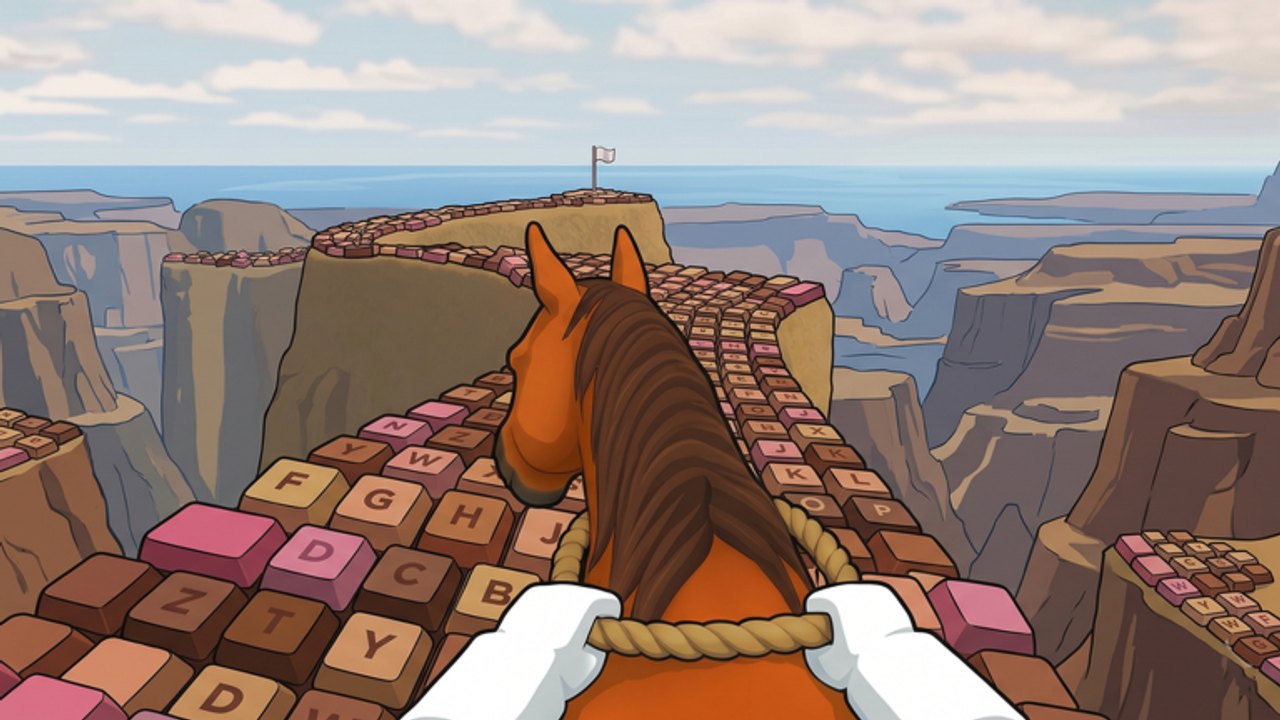
Fan pages rot when they invent Discord invites and “official Trello” headings. This community page only names channels we can point at: the Roblox place, the studio group, and the YouTube creators whose walkthroughs already sit inside our guides. Dangerous Horse Riding is a released 25-player Roblox obby from Ikinamada Studio (1 April 2025, still tagged beta, universe title prefixed [DEAD], still joinable). Visits passed 136 million, favorites passed 2.7 million, peak concurrent players about 8,951 in July 2025. None of those stats produced a public studio Trello.
This wiki is unofficial. It is not affiliated with Ikinamada Studio or Roblox. Trademarks belong to them. We match in-game names, badge labels, and place ids. We do not match a developer blog that does not exist. If a creator video disagrees with a live server, the live server wins.
Official first, then community
- Play Dangerous Horse Riding — the only join link that matters.
- Ikinamada Studio group — group 7745655, verified, public entry, about 1.4 million members, Group Member badge around 697,000 awards.
There is no confirmed official Discord. There is no public Trello board. Pages that rank for “Dangerous Horse Riding Trello” as a generic heading are SEO shells, not a studio document. If Ikinamada Studio publishes either, they will land on the links hub the same day. Until then, do not paste an invite you found under a random upload.
YouTube walkthroughs this wiki uses
We name creators, not invented video ids, on this page. Embeds with real ids live on the guide pages that own the topic, at most one per article, mid-body. If a video is deleted, we drop the embed rather than fake a replacement.
CashBlox. Gameplay and trailer-style footage of the keyboard trail. This is the “what does the horse actually look like” watch: first person, rope reins, letter keys, other riders shooting. Use it before Getting Started if you have not launched the place yet.
ShanKSRT. Ratings-style overview plus Ice Horse location notes. Horse ratings and weapon ratings in one pass are why our tier list hub exists as two child pages instead of one fashion list. Ice Horse details — including the ice-mountain route and the later “spawn might be gone” comments — belong on Ice Horse, not as a second unofficial Trello.
Candified. Badge hunt videos for Flipped Horse and Gray Stud. Those secrets have dedicated walkthroughs: Flipped Horse and Gray Stud. Candified is the creator we cite when the question is “which easter egg is the upside-down horse” versus “which easter egg is the dark stud.” Award counts and whether yesterday’s grants went quiet live on badges.
MBT. Lobby and store overview. When the shop moved in the revamp, lobby footage is how you find daily rewards, the horse row, and the gun row without wandering. Pair it with the shop planner so you do not copy a rocket-first buy from a montage.
Bloxy Archives. Full-run review. Useful when you want one sitting that shows a finish, not a secret-horse clip. Pace, corners, and why a six-minute average session is a fall on a letter are the same lessons as how to win and the controls sheet.
We do not dump every Tagalog let’s-play, every “codes 2026” ten-hour stream, or every executor tutorial. Script loaders stay on the scripts hub with ToS warnings; they are not “community guides” we promote as play advice. Creator names above are the walkthrough set. They are not a partner list and they are not paid placements.
What community is not
Community is not a second codes table. Active strings, if any, belong on codes and how to redeem. Comment-section codes from Wild Horse Islands will fail here.
Community is not a horse stat spreadsheet we pretend Ikinamada published. Reported Ice Horse numbers (speed 20, HP 200) are labeled as player reports on horses. Starter crossbow 20 damage is a documented shop fact on weapons. When a creator on-screen UI disagrees with those pages, we update the wiki from the live game, not from the thumbnail.
Community is not a shutdown rumor mill. The [DEAD] tag and beta copy are explained on beta status. Confirm on the play page. A YouTube title that says the game is gone is still a title.
How this unofficial wiki treats sources
- Official: Roblox place page, group 7745655, in-game badges, in-game shop.
- Community video: named creators above, real ids only when we embed, one embed per page.
- Player reports: labeled as such (Ice Horse stats, 1,000-coin checkpoint rumor on the shop planner).
- Not used: invented Discord, invented Trello, invented video ids, executor ads dressed up as walkthroughs.
If you have a new official URL from the studio, compare it against the group page before you trust it. Phishing groups clone names. The real id is 7745655. If you have a new secret-horse clip from a creator not listed here, the hunt pages still have to match a live spawn; a pretty thumbnail does not restore Ice Horse.
Start on the links hub if you needed the short official list. Stay on this page if you needed the creator roster and the disclaimer. Then go ride — Getting Started for the first flag, guides for the three secret horses, tools for the controls sheet and the spend order. The community is the watch list. The canyon is the game.
Frequently Asked Questions
Quick answers to the most common questions.
Is there an official Dangerous Horse Riding Trello or Discord?
No public Trello and no confirmed official Discord. Use the studio group shout and the Roblox event module until the studio publishes something else.
Which YouTube creators does this wiki use?
CashBlox (gameplay), ShanKSRT (ratings and Ice Horse), Candified (Flipped Horse and Gray Stud), MBT (lobby and store), Bloxy Archives (full-run review). Embeds with real ids live on the matching guides.
Is this wiki official?
No. It is a fan resource. Play links go to the Roblox experience and the Ikinamada Studio group. We drop dead videos instead of inventing ids.
Where should a new rider go after this page?
Join the studio group for the Group Member badge, then open Getting Started and the controls sheet.